03
Set up your instances
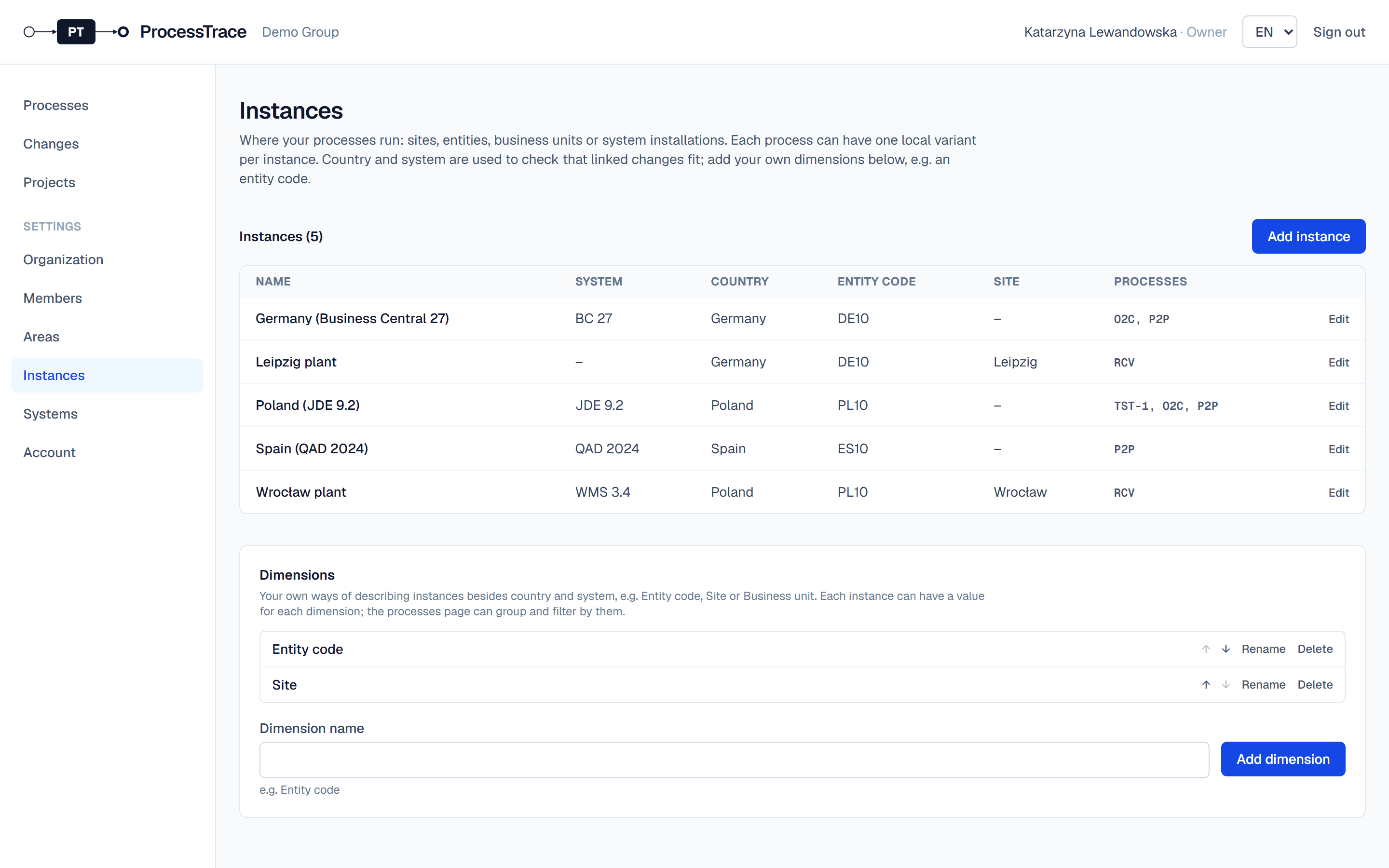
Instances are where your processes run: a site, an entity, a business unit or a system installation. Each process can have one local variant per instance.
Add your own dimensions
- 1Open Settings → Instances. Under Dimensions, owners and admins add their own ways of describing instances, for example Entity code or Site.
- 2Use the arrows to set their order; it is also the order of the columns.
Add an instance
- 1Click Add instance.
- 2Choose the system (system and version together), the country and a value for each dimension. A name is suggested from them; you can type your own.
- 3Save. Any process can now get a variant for this instance.
Tip: Country, system and dimension values decide which changes apply to an instance (see Register changes).
Group processes into areas
- 1Under Settings → Areas, add areas such as Order-to-Cash or Logistics. An area’s optional code suggests the start of new process keys.
- 2Move areas up and down to set their order on the processes page.