08
Set up projects
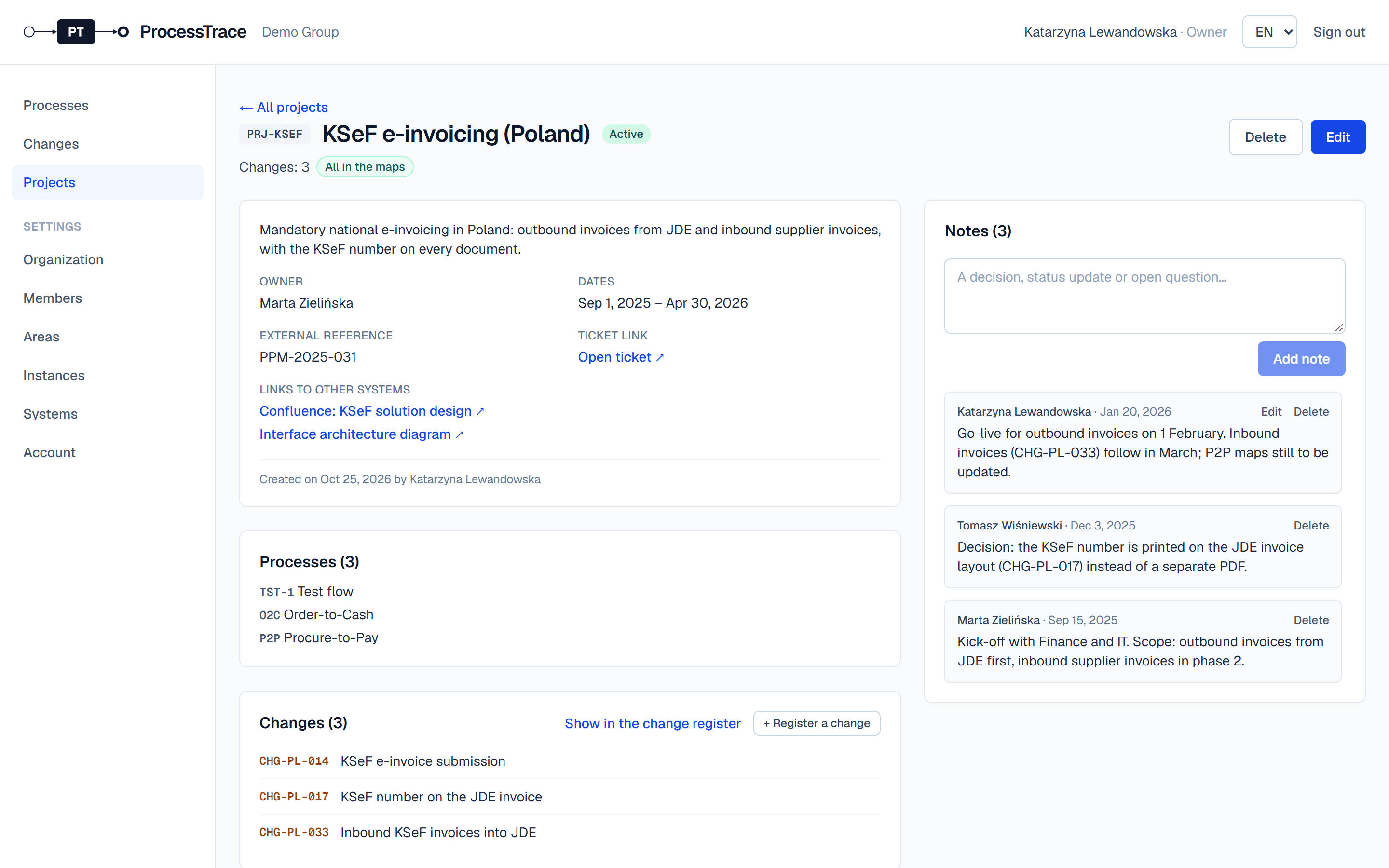
Projects group the work of a rollout, a reorganisation or an improvement initiative: its changes, the processes it touches, links to documents in other systems, and notes.
Create a project
- 1Open Projects and click New project.
- 2Enter a code and a name, the status, owner and dates, a ticket link, an external reference and links to documents in other systems.
- 3Add the processes it touches. You can also add projects to a process in New process or Edit process.
Work with a project
- 1Assign changes to the project in the change form, or click + Register a change on the project page.
- 2The project page shows its changes and whether they are in every map yet.
- 3Write notes for decisions, status updates and open questions. Everyone sees who wrote what and when; you can edit your own notes.